18 Jul 2026: AI Logs
 Updated
by Ricardo
Someone on your team is going to look at a reply and wonder why the bot said that. They should be able to find out.
AI Logs is a new page in the Journeys section. It keeps a record of each time your AI generates a response: what the person wrote, which journey handled it, how long it took, how many tokens it used.
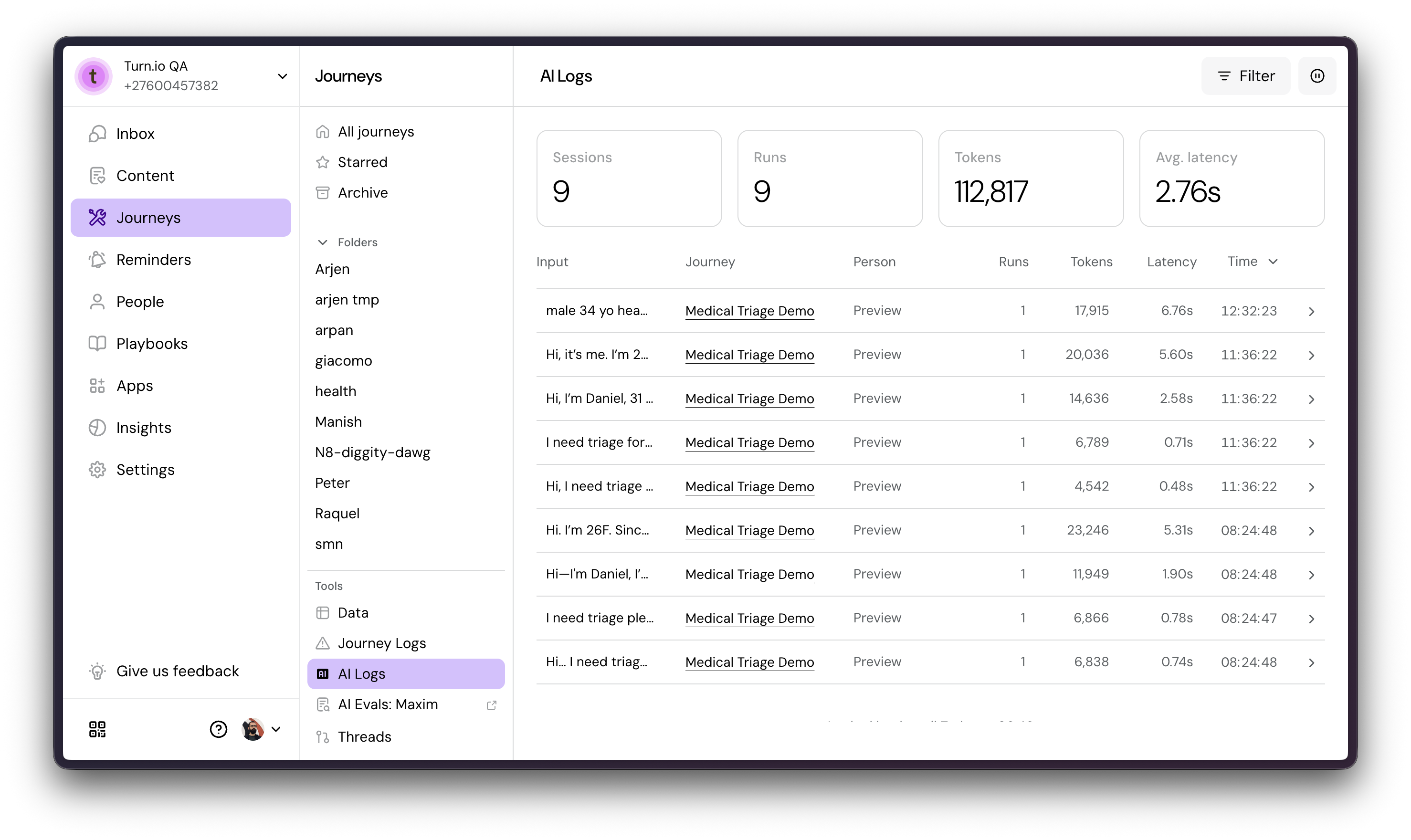
At the top level, you can see all sessions within a Journey. All AI generations within a journey get grouped into one. Drilling down, you can see all the individual runs:
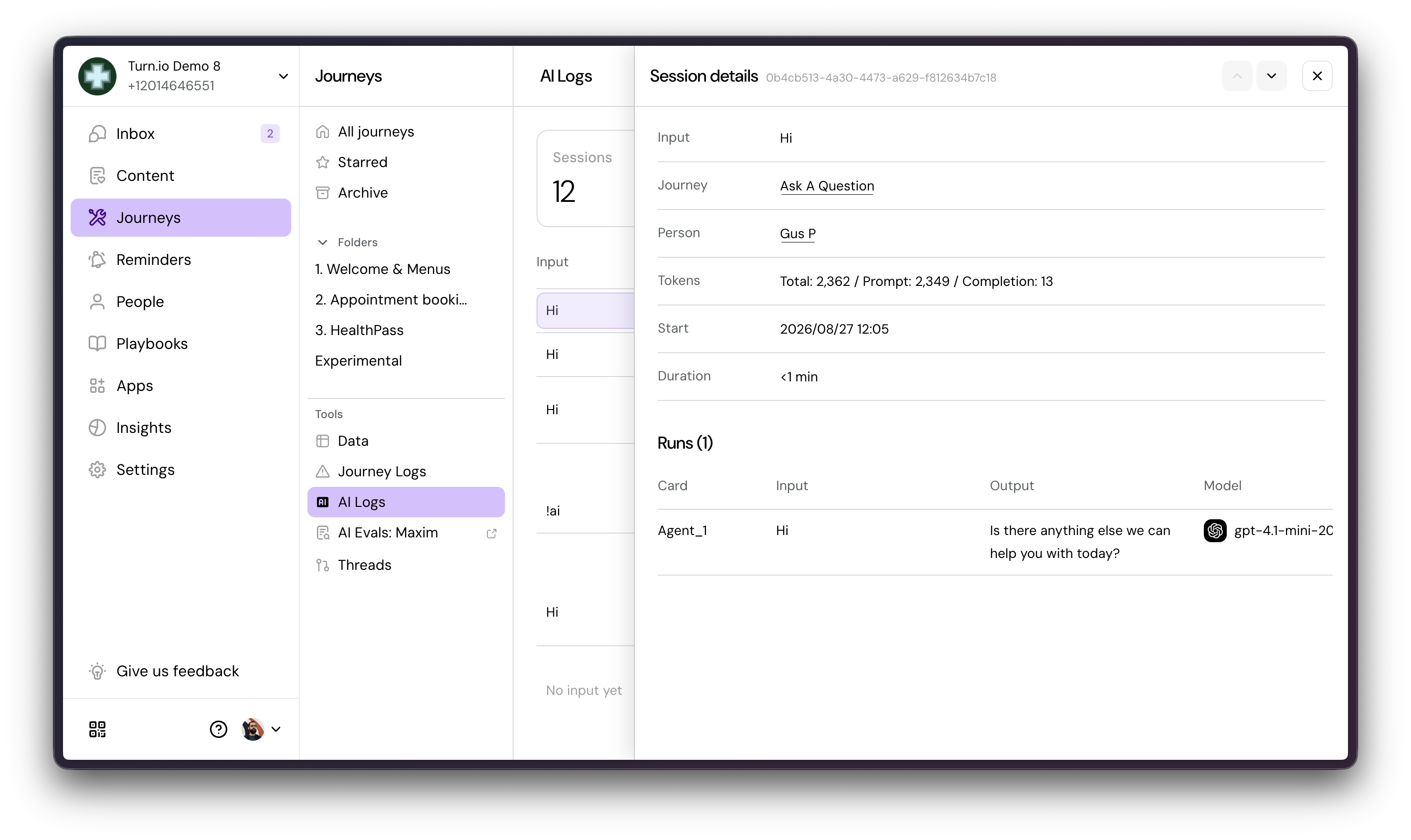
You can see the prompt you wrote. The chat as they saw it. Which card ran, which model, whether it called a tool. And the individual runs. Each run is an execution of a specific AI card. Clicking on that run, you can see even more granular details:
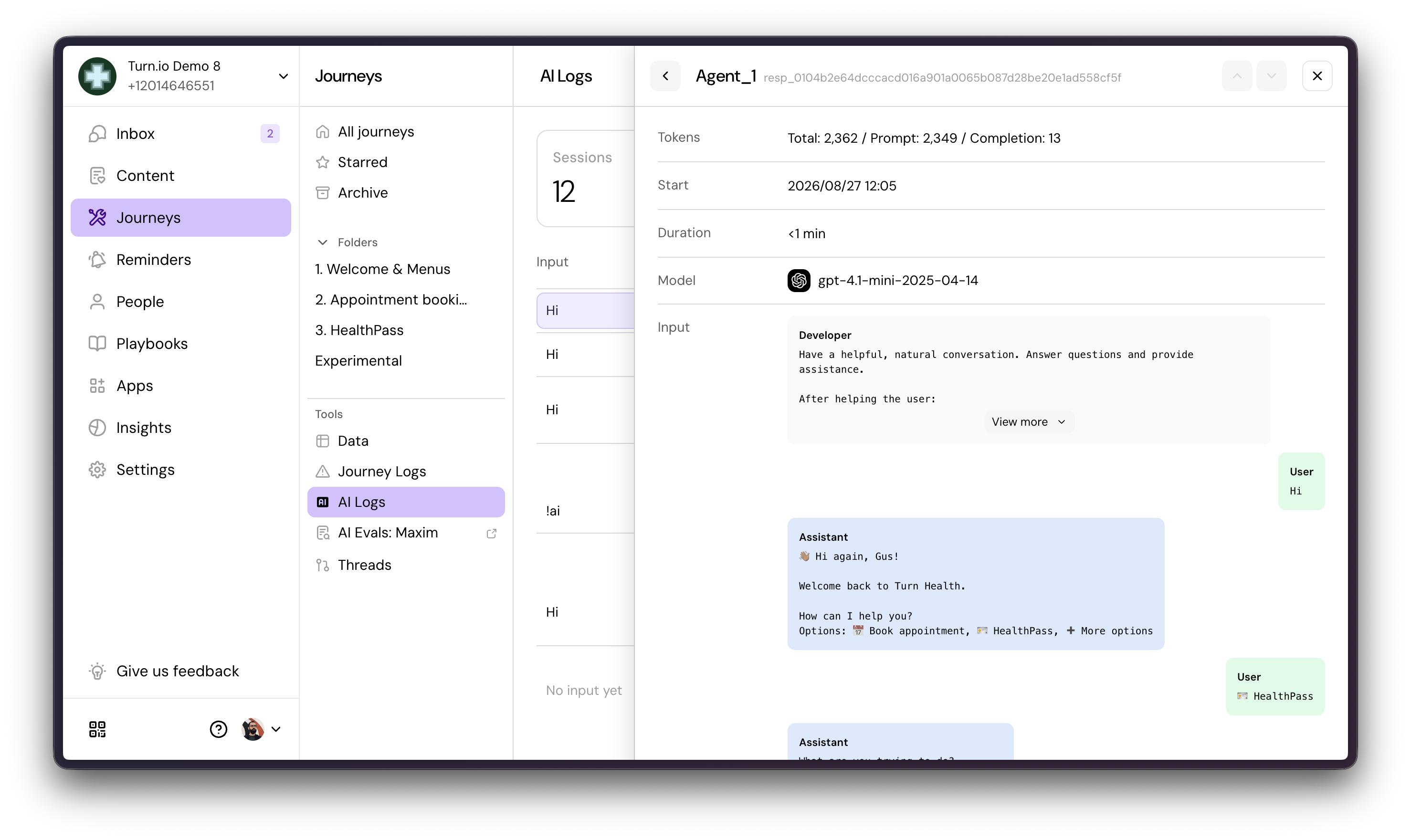
You can see the conversation thread, what AI is doing in the background like tool calls, token breakdown and more.
Finally, we give you a list of internal events: these are for advanced users who are looking for even more granular information:
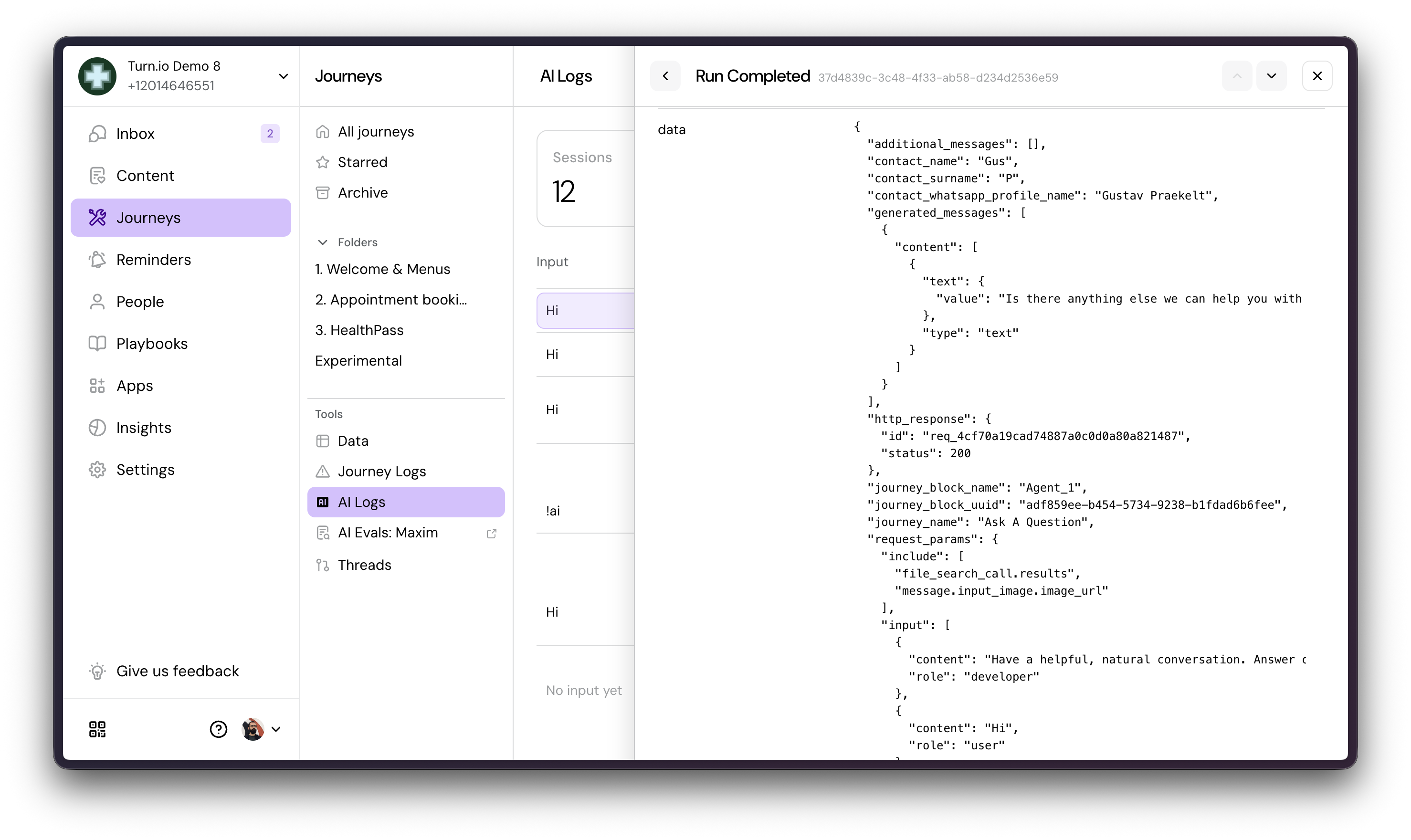
The patient only ever sees the WhatsApp message. But now, you can gain visibility how that message got formulated in detail, and how to make it better.